

Google Play Store S2S Notifications
How to connect the Google Cloud Pub/Sub with Purchasely?
We connect to Google Cloud Pub/Sub automatically for you by using your service account access.
Finalize the S2S connection by clicking on Connect to Google in the Purchasely Console and let it guide you.
If you already have it configured with your own server or another provider, after clicking on the button select the topic that you have configured. Purchasely will add a subscription to the same topic to also receives notifications without other steps required on your side.
Manual configurationConnect to Google needs the "Pub/Sub Admin" role on the service account of your Access Key. If the button shows an error or does not show, check these items:
- The Access Key is valid.
- The service account of the Access Key has the "Pub/Sub Admin" role.
You can also configure Server to Server notifications manually. After the setup, you can remove the role. The notifications continue to work, but the Console can no longer show the setup status.
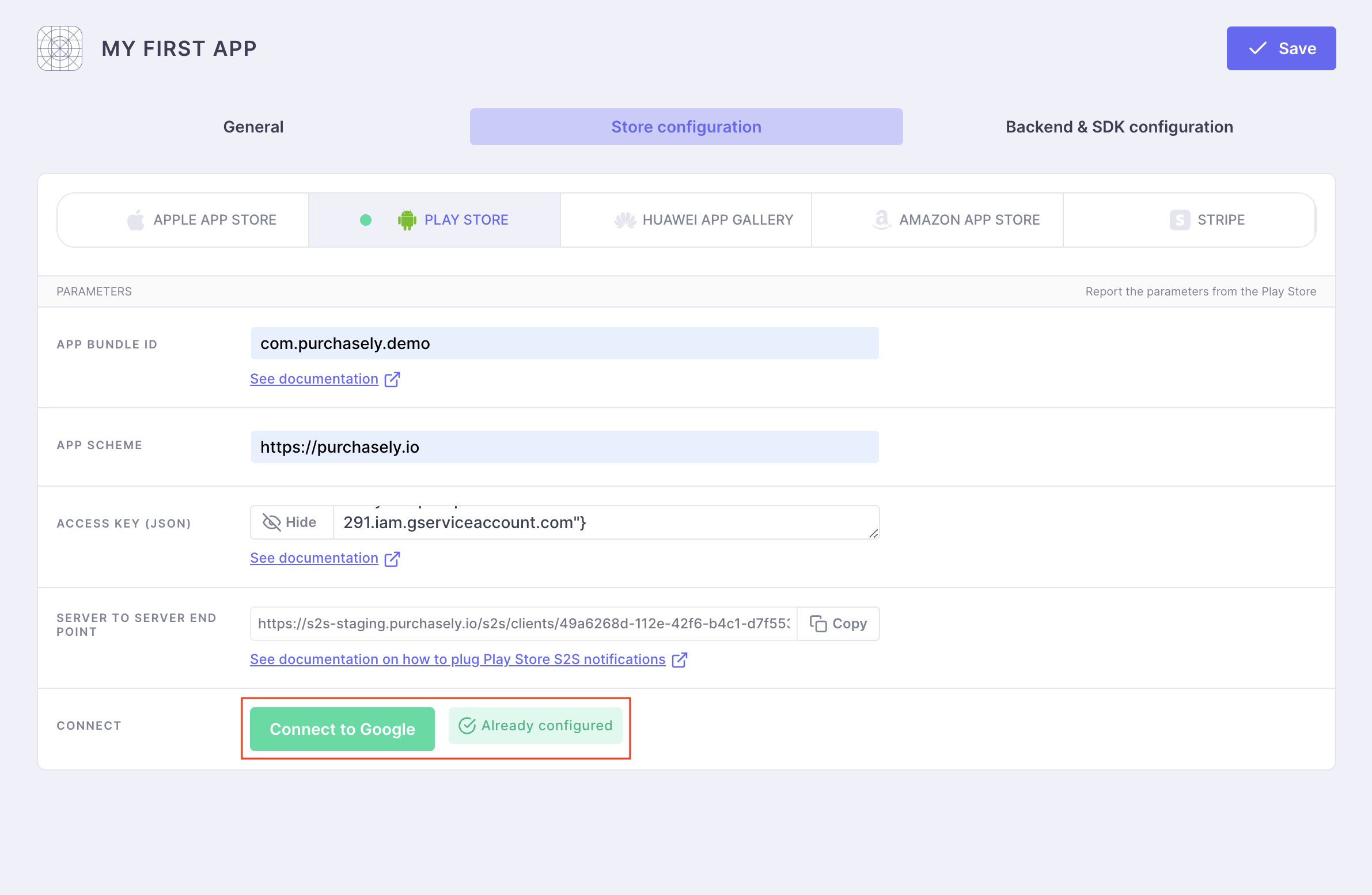
We connect to Google Cloud Pub/Sub automatically for you by using your service account access.
Finalize the S2S connection by clicking on Connect to Google in the Purchasely Console and let it guide you.
If you already have it configured with your own server or another provider, after clicking on the button select the topic that you have configured. Purchasely will add a subscription to the same topic to also receives notifications without other steps required on your side.
Manual configurationConnect to Google needs the "Pub/Sub Admin" role on the service account of your Access Key. If the button shows an error or does not show, check these items:
- The Access Key is valid.
- The service account of the Access Key has the "Pub/Sub Admin" role.
You can also configure Server to Server notifications manually. After the setup, you can remove the role. The notifications continue to work, but the Console can no longer show the setup status.
What are Google Play Store server-to-server notifications used for?
Google Play Store Server-to-server notifications are used to get real-time notifications of purchases and events associated to in-app purchase events or subscription lifecycle events.
They consist in messages, sent by the Google Play Store, every time an event occurs on a subscription. For instance, a message is sent when a subscription :
- is purchased
- is renewed
- is cancelled (auto-renewing cancelled by user for the following billing period)
- is refund
- gets expired
- encounters a billing issue
…
The server-to-server notifications are not mandatory for making subscriptions work, but they are very valuable in the sense that they bring a real-time and comprehensive vision for the app editor.
Updated 14 days ago