

Running modes
This section provides an overlook of the running modes available with the Purchasely Platform
Understanding running modes
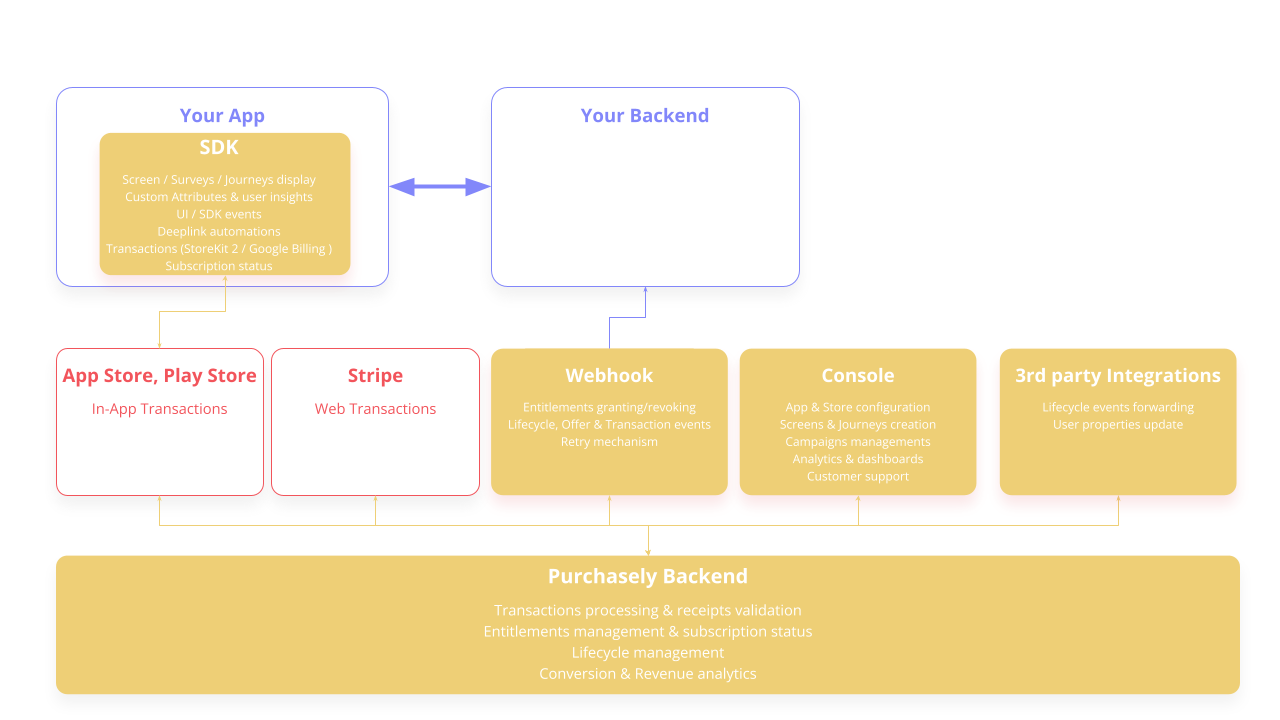
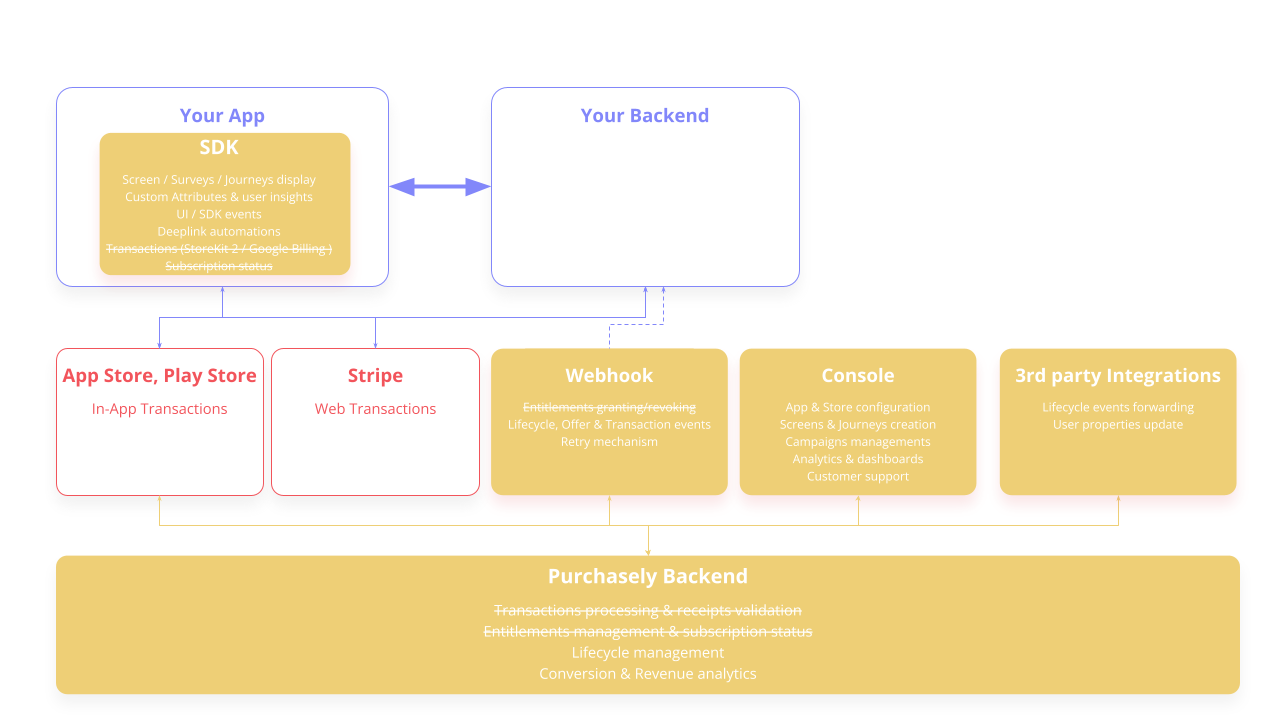
Purchasely offers two running modes to fit your app's setup:
observermode (default): your existing system keeps processing the in-app transactions (in-house or a 3rd party such as RevenueCat) — Purchasely just observes them.fullmode: Purchasely processes the in-app transactions end to end and acts as your subscription infrastructure.
observeris the default running modeSince v6, the SDK starts in
observermode by default. Set therunningModeparameter ofPurchasely.start()tofullif you want Purchasely to handle the transactions.
full mode vs. observer mode
full mode vs. observer modeobserver mode (default) | full mode | |
|---|---|---|
| Who processes the transaction | Your existing system (in-house / RevenueCat…) | Purchasely |
| Receipt validation & acknowledgement | You (the developer) | Purchasely, automatically |
| Subscription infrastructure to maintain | Yours — kept as-is | None — Purchasely is the infrastructure |
| How a purchase is triggered | The SDK hands over to your app via the Action Interceptor | The SDK launches the native in-app purchase flow |
| No-code growth features | ✅ | ✅ |
| Best for | Apps with an existing purchase system | New apps or teams starting with in-app purchases |
The same no-code features in both modes
Whichever mode you pick, you get the full set of no-code growth features:
- No-code Paywall & Screen builder — create and update paywalls and in-app screens without writing code
- A/B Testing — test designs and offers to optimize conversion
- Audience Targeting — deliver personalized content and offers
- Campaign Automations — win-back, retention and conversion campaigns
- 3rd-party integrations — analytics, CRM, attribution and more
They let growth and marketing teams ship in-app funnels instantly — no developer involvement, no app update — while staying compliant with the App stores guidelines thanks to the built-in paywall verifications.
Which mode should I choose?
- Choose
observerif you already have a working subscription system (in-house or a 3rd party like RevenueCat) and just want Purchasely's paywalls, analytics and growth tools on top — no migration required. - Choose
fullif you're starting with in-app purchases and want Purchasely to be your subscription infrastructure. It saves the 3–6 months usually spent building store integrations, and removes the maintenance when stores ship new billing versions (Google Play Billing, StoreKit…).
You can switch between modes at any time from the SDK initialization.
Architecture diagram
full mode
observer Mode
Updated 4 months ago
What’s Next
Need more details on running modes? See below
Did this page help you?