

Bring Your Own Paywall
How to use your own paywall within Purchasely environment.
It might seem odd to bring your own paywall in a no-code environment, but it can actually be very useful when you start implementing Purchasely for:
-
Running an A/B test between your existing paywall and a Purchasely paywall
The platform feature Bring Your Own Screen allows you to include your legacy paywall as a variant in a Purchasely experiment without rebuilding it in the Console.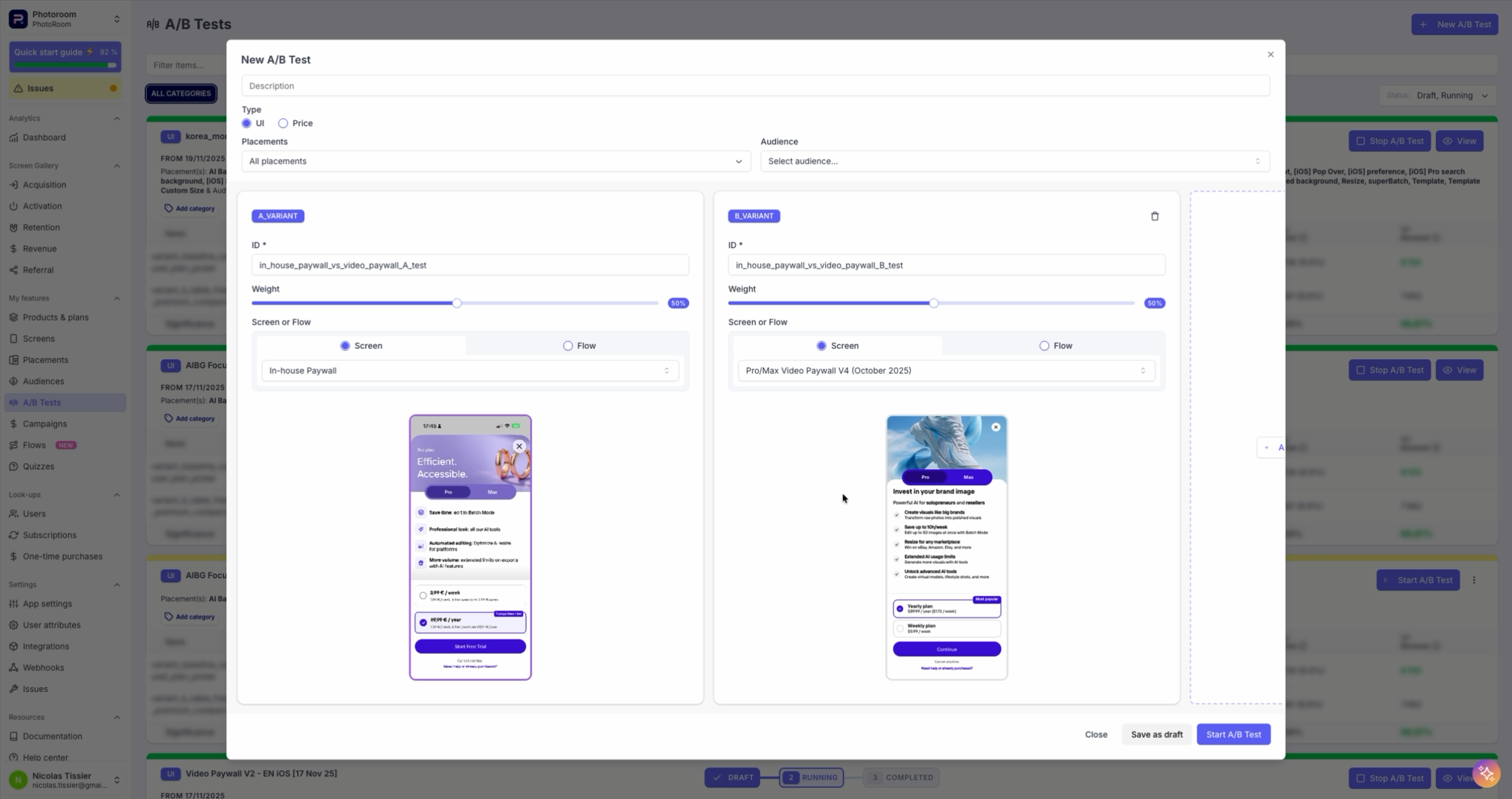
-
Running an A/A test between your existing paywall and its Purchasely version
If you reimplemented your paywall using Purchasely’s Screen Composer, the feature Bring Your Own Screen lets you compare both versions under identical conditions to validate performance and consistency.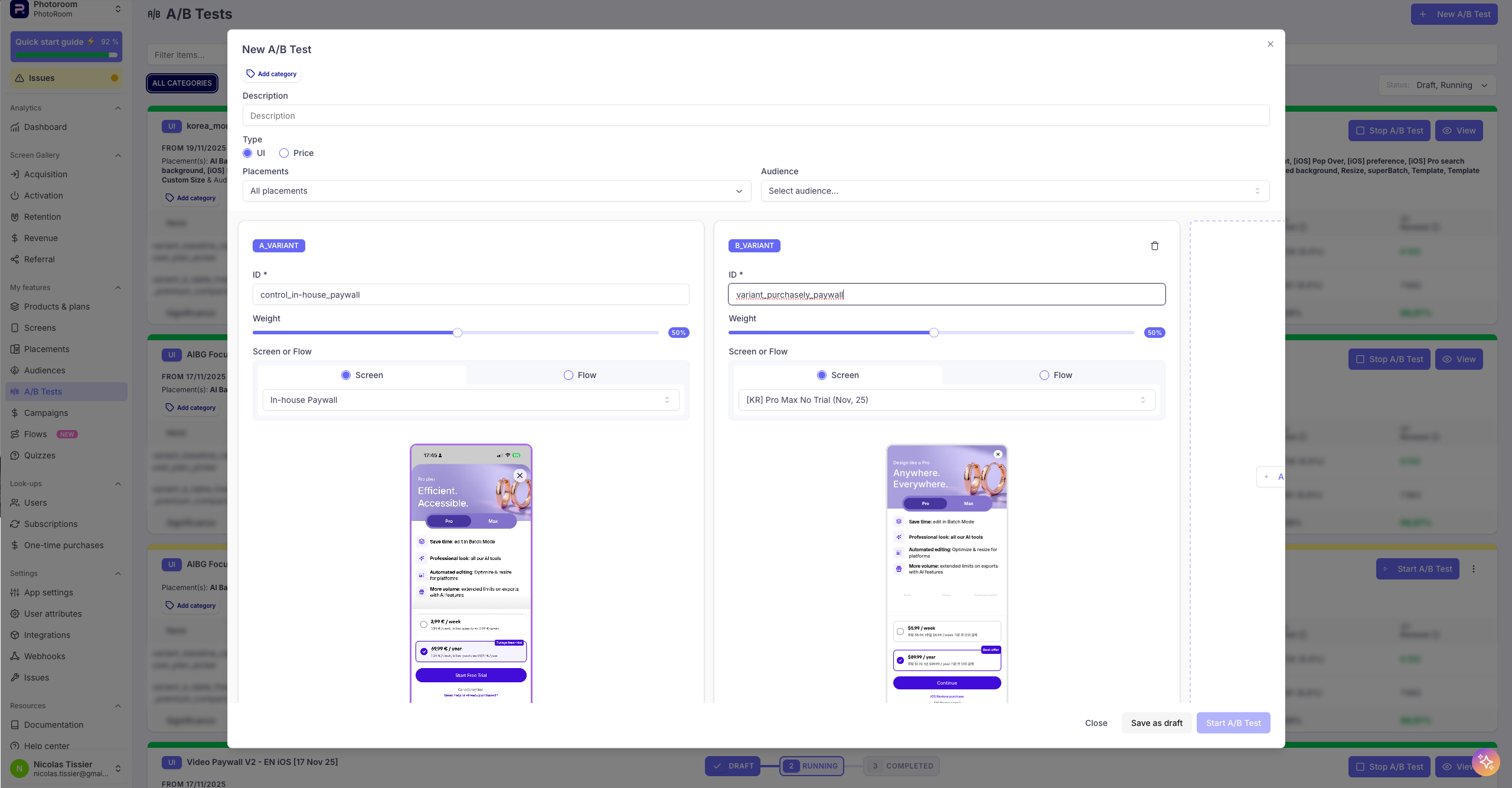
RequirementsBYOS requires SDK v5.6 (changelog) or later and the use of the
display()method to show In-App Experiences.The API described in the BYOS guides is the 6.0 one, and BYOS is available on native Swift and Kotlin only — React Native, Flutter and Cordova support is planned.
Useful links
To configure Bring Your Own Screen, follow the guide:
📚 Configuring BYOS in the Purchasely Console
To implement it in your app, follow the guide:
📚 Implementing BYOS into the app
Updated 3 months ago
What’s Next
Want to know more on how to leverage this feature to personalize remotely your own paywall?