

Importing Screens from Figma
You can import your Screens directly from Figma into the Purchasely Console thanks to our Figma Pluging.
Purchasely Figma plugin is the fastest and easiest way to create a live native funnels in your mobile app from a Figma design.
Purchasely's Figma plugin offers unbeatable features that you need:
- Free form design: With or with our auto-layout. No matter how your designers work we will turn it into a screen that matches your design.
- Type inference: We understand your design elements and automatically convert frames representing buttons into a real Purchasely button with all its capabilities.
- Advanced typing: You can override that inference, chose which is a selected state or event choose to ignore frames by setting them manually.
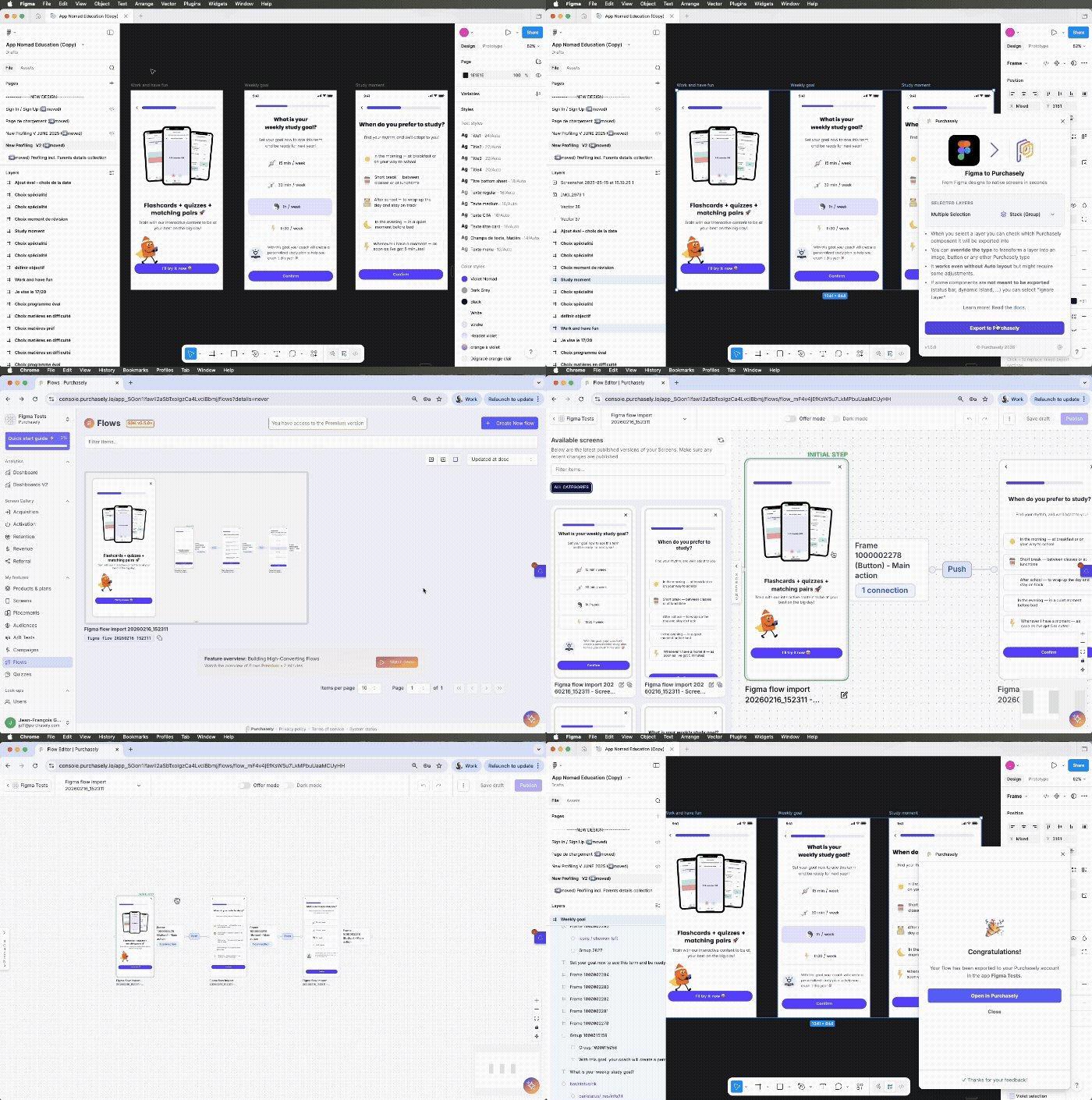
- Flows: You can export not just one screen but a 10-screen-onboarding flow in seconds
Your first export
- Select one frame or multiple frames (screens) to export
- Open Purchasely plugin
- Export
- Enjoy ☕️
Make your design smarter by typing your frames
Your designs cannot describe your app and raw exporting frames into stacks won't be enough:
- Buttons have actions and highlighted states
- Pickers and Quizzes have selected states
- Some frames are just design placeholders (status bar, dynamic island…) and shall not be exported
We provide an easy way for you to type them directly from Figma and make sure they will be exported smartly so that you don't spend time fixing that in Purchasely console.
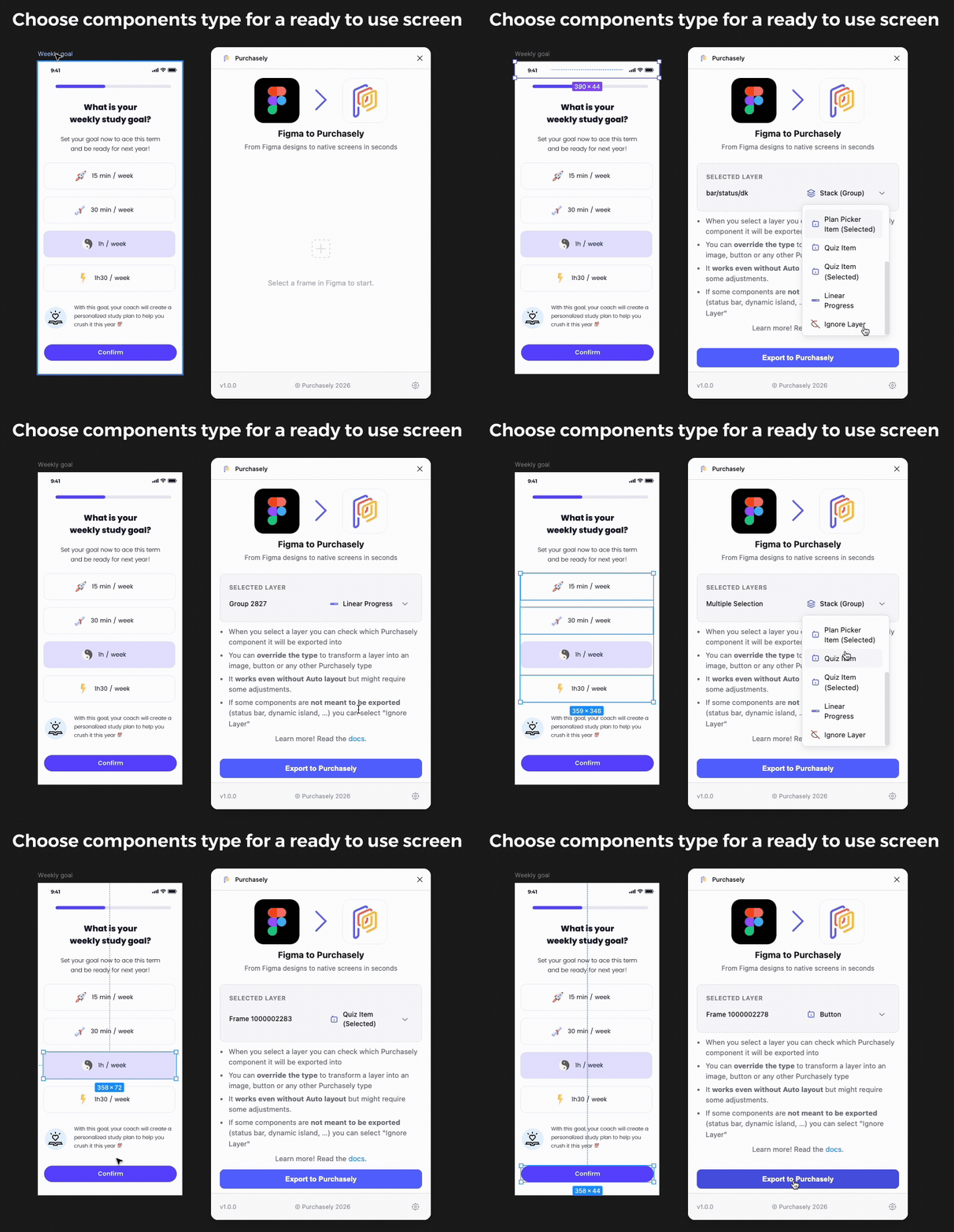
Override automatic typing to create smart high level objects in Purchasely
Updated 8 months ago
Did this page help you?