

A/B testing Web Flows
Test two versions of a funnel on the same URL: screens, copy, order of steps or prices, and let the traffic decide.
Web funnels are where you buy traffic, so they are where testing pays the most. An A/B test on a Web Flow splits the visitors of its URL between the current funnel and one or more challengers, without changing the link in your ads. It uses the same A/B test engine, dialog and results dashboard as your in-app tests: if you have run one, see Running A/B tests for the methodology and Identifying your A/B test winner for the statistics. This page covers what is specific to the web.
What you can test
A challenger is any web-published Screen or Web Flow. That leaves you free to test almost anything:
| You want to test | How |
|---|---|
| Copy, visuals, layout of one step | Duplicate the flow, edit the Screen in the challenger, keep the rest identical. |
| Order or number of steps (a shorter quiz, a loading screen, a spin wheel) | Duplicate the flow and change its structure in the challenger. |
| Prices or plans | Duplicate the flow and put a paywall Screen selling different plans in the challenger. Each plan is mapped to its own Stripe price, so the two funnels charge different amounts. |
| A funnel against a single page | Use a web-published Screen as the challenger of a Web Flow, or the reverse. |
Keep one change per test: the less two variants differ, the clearer the reading.
How it works
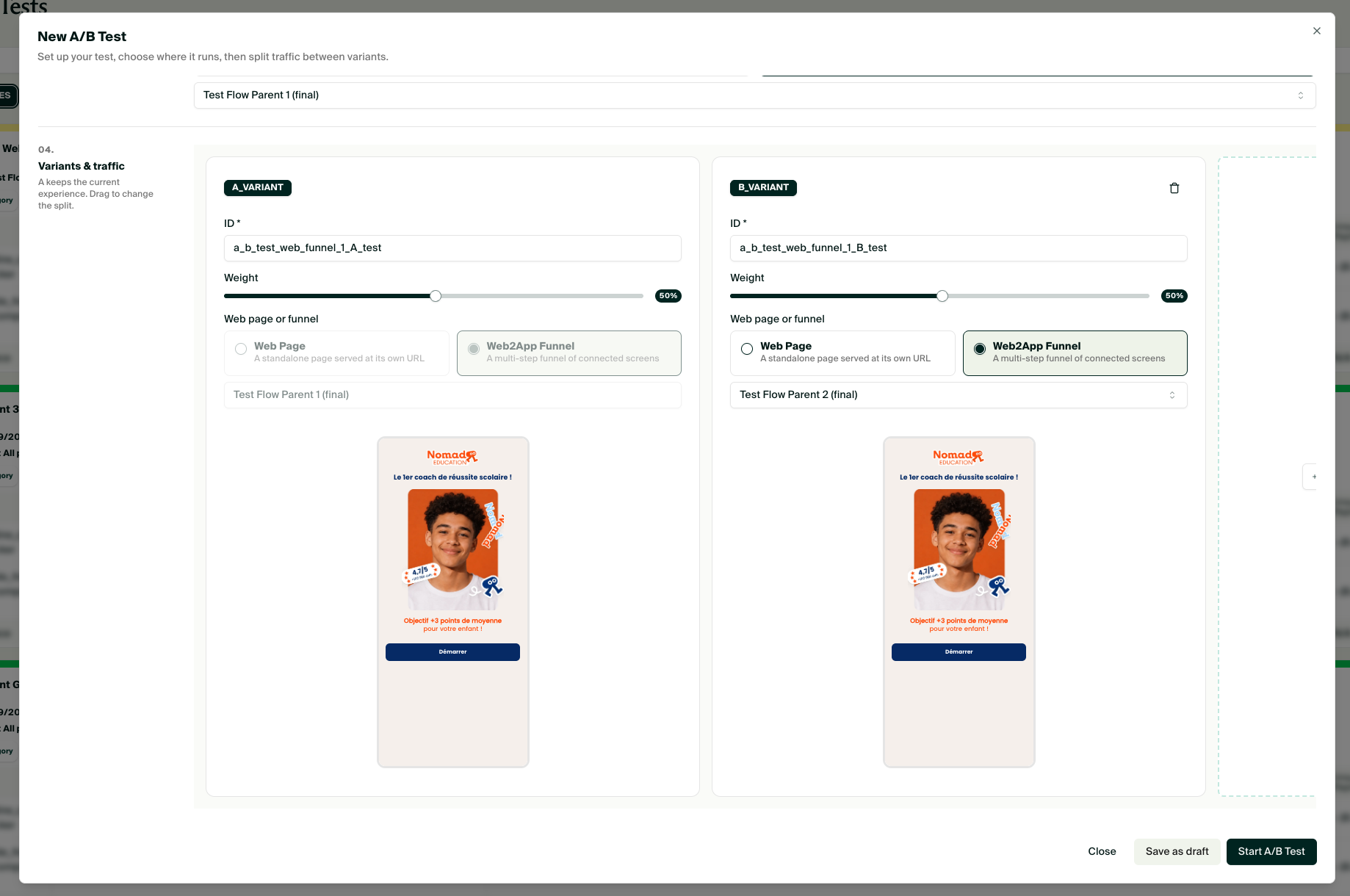
- The funnel under test is variant A. Its URL is the target of the test, and its current content is the reference, so there is no separate control to configure.
- Challengers are served at the same URL. Visitors keep the link you gave your ads; Purchasely picks a variant when they arrive and keeps it for the whole visit and their return visits, so a visitor never sees two versions.
- Traffic is split according to the weights you set, and the test runs for everyone who opens the URL: audiences do not apply on the web, since visitors are anonymous.
- Purchases made in a variant are attributed to it, on the live URL as well as on the sandbox URL.
- One test can run on a given URL at a time.
Create a test
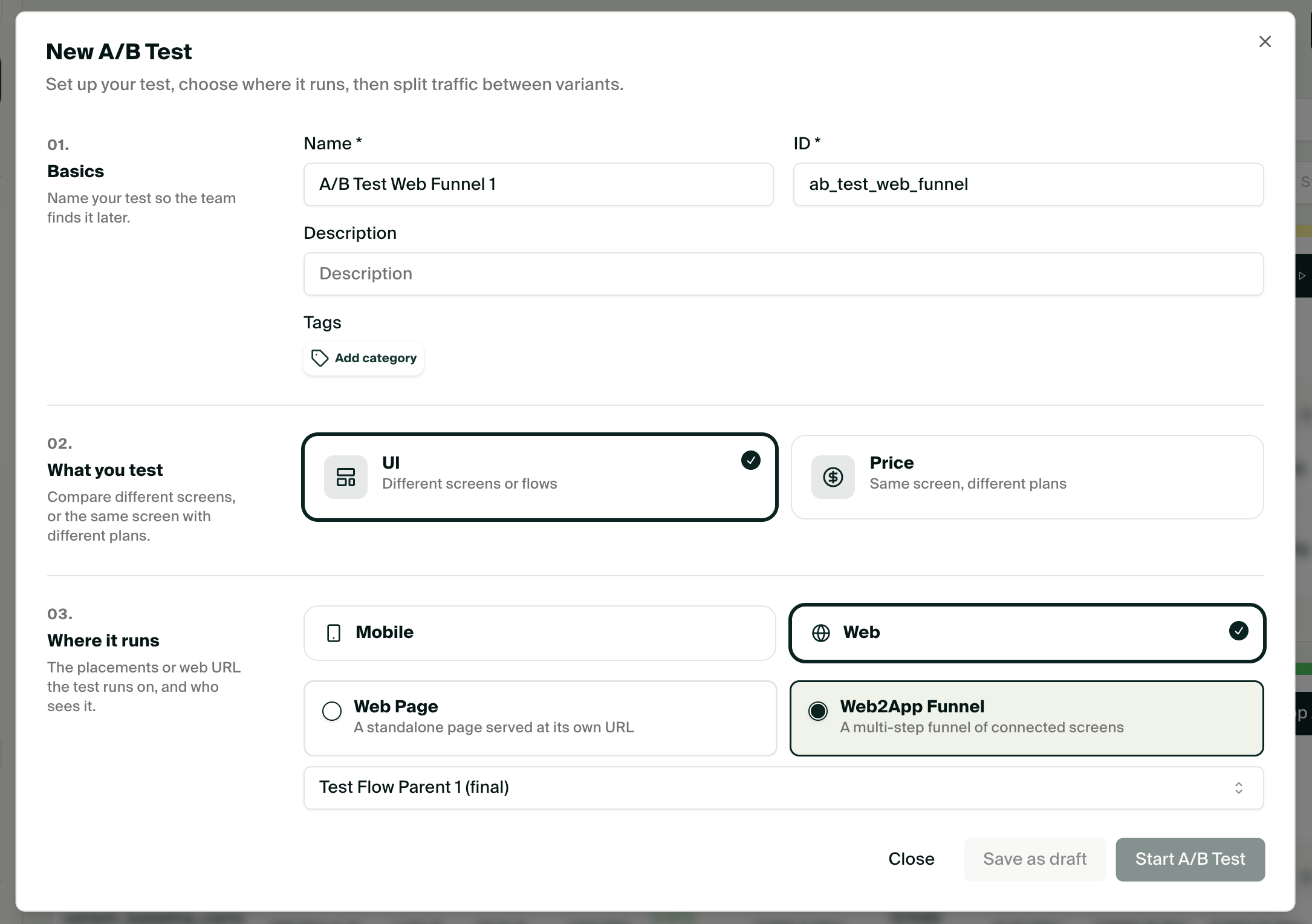
Tests are created from the A/B tests section of the Console, not from the Web2App tab.
- Open A/B tests and click New.
- Basics: name the test and give it a hypothesis you can verify.
- What you test: choose UI.
- Where it runs: select Web, then Web2App Funnel and pick the flow to test. Its URL becomes the target, and the flow is locked as variant A. Choose Web Page or another Web2App Funnel instead to test a Screen published on its own web URL.
- Variants & traffic: add one or more challengers, a Web Flow or a web-published Screen, and set the traffic share of each variant. Only web-published resources are offered.
- Start the test. The flow shows a green TEST badge in the Flows tab while the test runs; hover it to see the test, click it to open the results.
Publish your challenger firstA flow or Screen appears in the challenger picker only once it is published on the web. Build and test the challenger on its own sandbox URL, then add it to the test.
Read the results and pick a winner
Results appear in the test's page, with the same metrics and the same Bayesian significance as in-app tests: visitors, conversions and conversion rate per variant, and the probability that each variant is the best. See Identifying your A/B test winner.
When a challenger wins, stop the test and make the winner the funnel behind the URL: either copy its changes into the flow under test, or point your ads to the winner's own URL. Stopping a test without a winner leaves variant A in place.
Sizing a web testPaid traffic arrives fast, but conversion happens at the checkout. Wait for the number of purchases, not the number of visitors, to reach significance, and let a test run at least one full week to cover weekday and weekend behaviour.
Troubleshooting
| Problem | Cause and solution |
|---|---|
| The Web option does not appear in Where it runs. | Web2App Funnels are not enabled on your account, or no Screen or flow is published on the web yet. |
| My challenger is not in the list. | It is not published on the web. Open it and turn on Publish flow on Web. |
| I cannot start a second test on the same funnel. | One running test per URL. Stop the current test first. |
| I see the same variant on every reload. | Expected: a visitor is pinned to a variant. Open the URL in a private window to draw again. |
Updated about 1 month ago